
English
PolyMate | Merge
PolyMate | Merge v1.1.0
Last update Feb/1/2026 (Support for Maya2022-2026)
Redesigned Maya vertex merging to be “easy, fast, and safe.”

With Quick Mode / UV stabilization /
risk detection + “auto-unpin (UV pin) only for merged vertices,”
you can finish LOD and reduction work faster.
License
License: Commercial license (EULA)
Usage scope: Available for individuals, freelancers,
and studios (within the purchased number of seats)
Prohibited:
・Redistribution / sharing (including transfer to third parties or public release)
・Distribution of modified versions
・Code reuse (repurposing into your own tools/products)
・Analysis / reverse engineering (permission required)
EULA / Terms of Sale:
https://arrisestudio.com/eula/
What’s included
・PolyMate/ (main folder)
・PolyMate_Installer.py (installer script)
・PolyMate_Uninstaller.py (uninstaller script)
・Legal
  ├EULA.md(End User License Agreement/EULA)
  └LICENSE.md(LICENSE NOTICE)
Editions
・Light   :Free edition, no seat limit.
・Personal:Up to 2 devices per user. Paid (Full) edition.
・Team    :Up to 2 devices per user. / Pack for 5 users. Paid (Full) edition.
・Personal:Up to 2 devices per user. / Pack for 10 users. Paid (Full) edition.
Light (Free)
Maximum vertices you can merge at once: 3
Maximum UV maps kept for the target object: 1
All other features are the same as the Full edition.
Full (Paid)
The only difference between license types is the number of seats.
All features are available in the Full edition.
Configurable limits for load management (Full edition only):
・You can set the maximum number of vertices to merge at once
・You can set the maximum number of UV maps kept for the target object
Documentation / Tutorials
Documentation (English)
https://arrisestudio.com/docs/polymate-merge-setup-en/

Tutorial
Support
Please use the contact form on the official website.
https://arrisestudio.com/contact/

Helpful information when contacting us:
・Maya version (e.g., 2024.x)
・OS (e.g., Windows 11)
・Reproduction steps (shortest steps)
・Error message / logs (as available)
Before purchase / Refunds
Refunds follow the policies of the store where you purchased.
End User License Agreement (EULA)
https://arrisestudio.com/eula/
Refund & Cancellation Policy
https://arrisestudio.com/refund-policy/
Please check before purchase:
・Supported Maya versions / OS requirements (see the documentation above)
・We recommend testing with the Light edition (free) before purchase.
・In corporate environments (proxy, etc.),
please confirm in advance that license-activation traffic is allowed.
Product Description
PolyMate | Merge is a best-in-class merge tool that makes Maya vertex merging
“easy, fast, and safe.”
It reduces tedious steps, is intuitive to use without hesitation,
and directly improves modeling productivity.

Includes three merge targets (first selected / middle / last selected).
Because you can choose “where to snap and merge” depending on the task,
fixing, optimizing, and cleanup workflows become smoother.


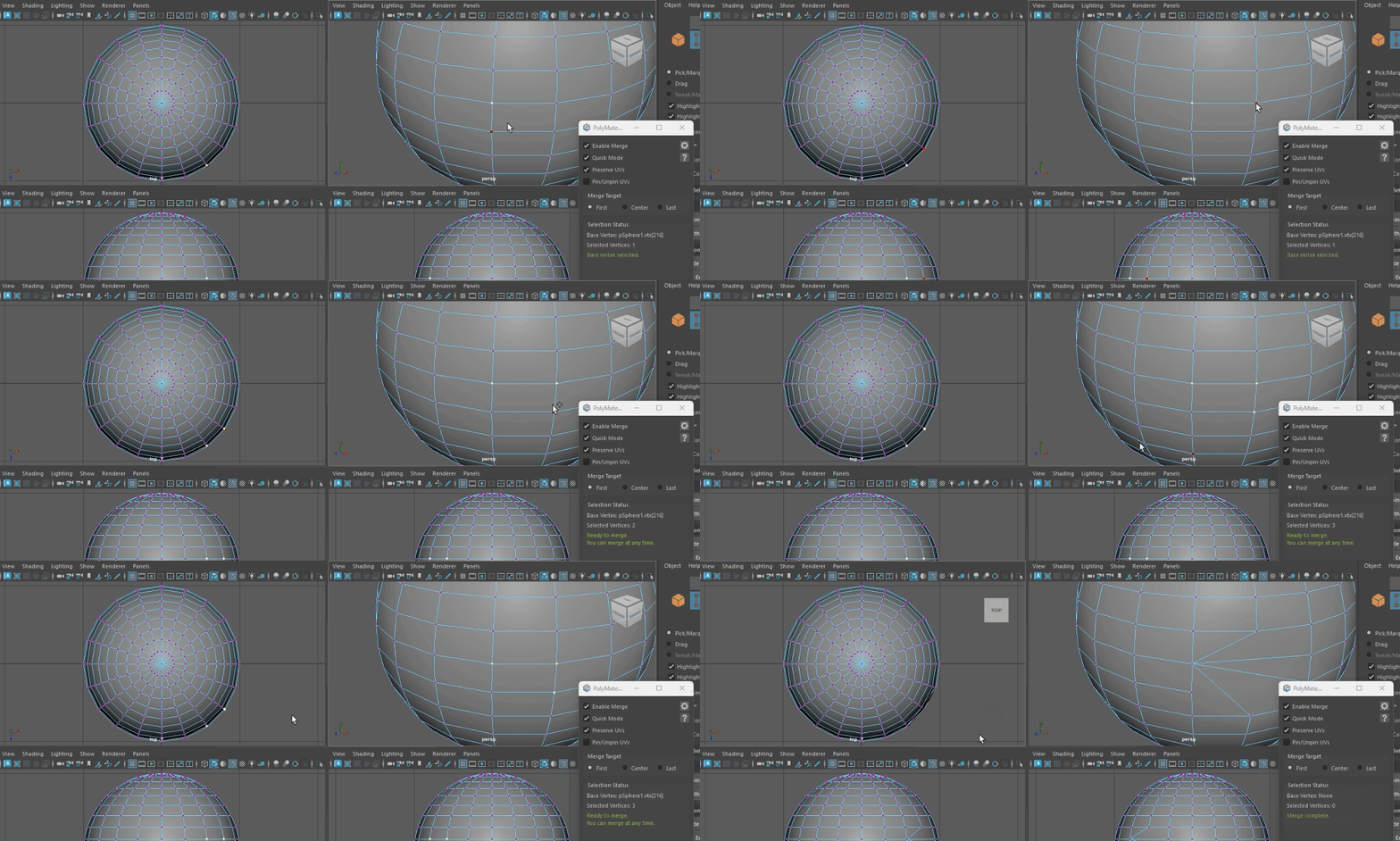
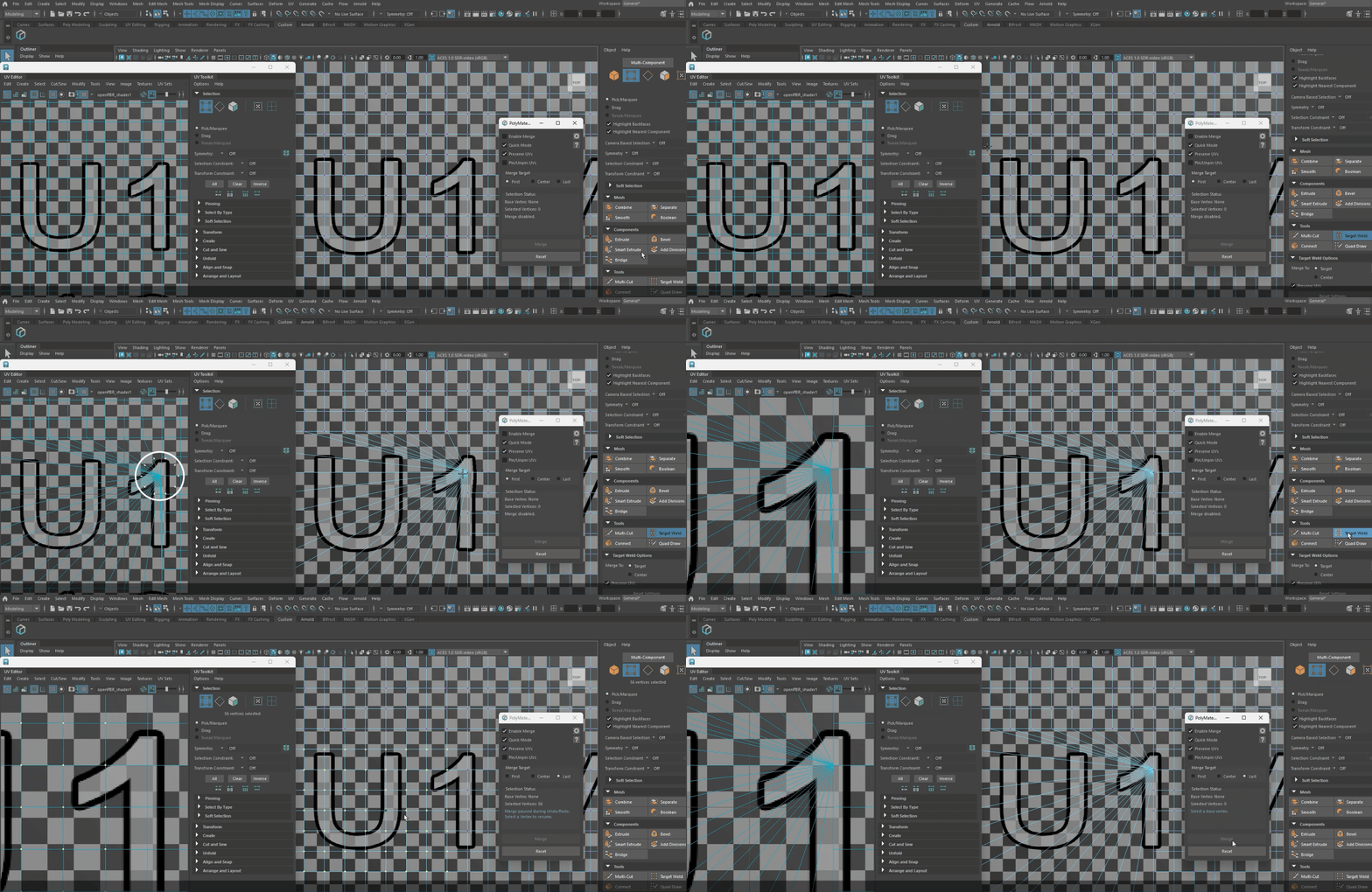
It also includes Quick Mode,
enabling viewport-click merging without relying on the merge button.
This reduces back-and-forth actions and keeps your workflow moving at a good pace.



PolyMate | Merge is designed to minimize the UV drifting/
collapse that can occur with Maya’s default merge.


Additionally, when you merge in UV Pin Mode,
only the merged vertices are automatically unpinned,
which is especially useful for game-optimization workflows such as reduction and
LOD generation. Safety is also a priority.


It detects conditions and situations that are likely to cause issues after merging
in advance, and shows warnings and guidance.
This helps you make clear decisions and supports safer operations
that help prevent accidents.


For load management, you can adjust limits to match your working environment
(Full edition only).
・You can set the maximum number of vertices to merge at once
・You can set the maximum number of UV maps kept for the target object
Available in 35 languages.

Built with a strict focus on “easy, fast, and safe,” with maximum usability in mind.
日本語
PolyMate | Merge
PolyMate | Merge v1.1.0
Last update Feb/1/2026 (Support for Maya2022-2026)
Mayaの頂点マージを「簡単・速い・安全」に再設計。
Quickモード/UV安定化/危険検知+“マージ頂点のみ自動アンピン(UVピン)”で、
LOD・リダクションの仕上げが速くなります。
ライセンス(License)
ライセンス:商用ライセンス(EULA)
利用範囲:個人・フリーランス・スタジオ利用可(購入Seat数の範囲内)
禁止事項:
・再配布/共有(第三者への譲渡・公開を含む)
・改変物の配布
・コード流用(自作ツール/製品への転用)
・解析・リバースエンジニアリング(許諾制)
EULA / 販売条件:
https://arrisestudio.com/eula/
配布物 / 同梱内容(What’s included)
・PolyMate/(本体フォルダ)
・PolyMate_Installer.py(インストール用スクリプト)
・PolyMate_Uninstaller.py(アンインストール用スクリプト)
・Legal
  ├EULA.md(エンドユーザー使用許諾契約/EULA)
  └LICENSE.md(ライセンス通知)
エディション(Editions)
・Light   :席次制限なし、無料版。
・Personal:1ユーザー2台までインストール可。有料(Full)版。
・Team    :1ユーザー2台までインストール可。/5ユーザー分のパック。有料(Full)版。
・Personal:1ユーザー2台までインストール可。/10ユーザー分のパック。有料(Full)版。
Light(無料)
一度にマージできる最大頂点数:3
対象オブジェクトの最大UVマップ保持数:1
上記以外の機能はFull版と同等。
Full(有料)
ライセンスの種類は席次数(Seat数)の差です。
Full版では全ての機能をご利用いただけます。
負荷対策として上限設定が可能(Full版のみ):
・一度にマージできる最大頂点数を設定可能
・対象オブジェクトの最大UVマップ保持数を設定可能
ドキュメント / チュートリアル
ドキュメント(日本語)
https://arrisestudio.com/docs/polymate-merge-setup-ja/

チュートリアル
サポート
公式サイトのコンタクトフォームをご利用ください。
https://arrisestudio.com/contact/

連絡時にあると助かる情報:
・Mayaバージョン(例:2024.x)
・OS(例:Windows 11)
・再現手順(最短ステップ)
・エラーメッセージ / ログ(可能な範囲で)
購入前の注意 / 返金
返金は購入元ストアの規約に準拠します。
エンドユーザー使用許諾契約(EULA)
https://arrisestudio.com/eula/
返金・キャンセルポリシー
https://arrisestudio.com/refund-policy/
購入前にご確認ください:
・対応Mayaバージョン・OS要件(上記ドキュメント参照)
・購入前に、Light版(無料版)にて動作テストを推奨します。
・企業環境(プロキシ等)では、ライセンス認証通信が許可されているか事前にご確認ください。
商品説明
PolyMate | Merge は、Mayaの頂点マージを「簡単・速い・安全」にする、
決定版クラスのマージツールです。
面倒な手順を減らし、迷わず直感的に使えて、モデリング作業の時短に直結します。
3つのマージ方式(最初に選択/真ん中/最後に選択)を搭載。
用途に応じて「どこに吸着してマージするか」を選べるため、
修正・最適化・整理の作業がスムーズになります。

さらに、マージボタンに依存しない“ビュークリックでマージできるQuickモード”を搭載。
操作の往復や手数を減らし、テンポを崩さずに作業を進められます。


Maya標準のマージで起きがちなUVのズレ/崩れも、PolyMate | Merge では崩れにくい設計。


加えてUVピン化モードでマージを行うと、マージした頂点のみが自動でアンピンされるため、
リダクション/LOD化といったゲーム最適化の工程で特に便利です。 安全面も重視しています。


マージ後に破綻しやすい条件や危険になりやすい状況は事前に検知し、警告とガイドを表示。
エラーメッシュ化を迷わず判断でき、事故を防ぎやすい運用に繋がります。


負荷対策として、作業環境に合わせ上限を調整できる仕組みも用意しています(Full版のみ)。
・一度にマージできる最大頂点数を設定可能
・対象オブジェクトの最大UVマップ保持数を設定可能
対応言語は35言語。

最大限にユーザビリティを考え、徹底して「簡単・速い・安全」にこだわったツールです。
简体中文
PolyMate | Merge
PolyMate | Merge v1.1.0
最后更新:2026年2月1日(支持 Maya 2022–2026)
将 Maya 的顶点合并重新设计为“简单・快速・安全”。
通过 Quick 模式/UV 稳定化/风险检测+“仅对合并顶点自动解除 Pin(UV Pin)”,
可显著加快 LOD 与减面(Reduction)的收尾工作。
许可(License)
许可:商业许可(EULA)
适用范围:个人/自由职业者/工作室均可使用(在购买的 Seat 数范围内)
禁止事项:
・再分发/共享(包括向第三方转让或公开发布)
・分发修改后的版本
・代码挪用(转用于自制工具/产品)
・分析/逆向工程(需获得许可)
最终用户许可协议(EULA)/ 销售条款(退款、取消、争议)特约:
https://arrisestudio.com/eula/
发放内容 / 同捆(What’s included)
・PolyMate/(主文件夹)
・PolyMate_Installer.py(安装脚本)
・PolyMate_Uninstaller.py(卸载脚本)
・Legal
  ├EULA.md(最终用户许可协议/EULA)
  └LICENSE.md(许可声明)
版本(Editions)
・Light   :免费版,无 Seat 数限制。
・Personal:每位用户最多可安装 2 台设备。付费(Full)版。
・Team    :每位用户最多可安装 2 台设备。/ 5 用户包。付费(Full)版。
・Personal:每位用户最多可安装 2 台设备。/ 10 用户包。付费(Full)版。
Light(免费)
单次可合并的最大顶点数:3
目标对象可保留的最大 UV Map 数:1
除上述限制外,其余功能与 Full 版相同。
Full(付费)
许可类型的差异仅在于 Seat 数量。
Full 版可使用全部功能。
可设置上限以应对负载(仅 Full 版):
・可设置单次合并的最大顶点数
・可设置目标对象可保留的最大 UV Map 数
文档 / 教程
文档(中文)
https://arrisestudio.com/docs/polymate-merge-setup-zh-cn/

教程
支持(Support)
请使用官网的联系表单。
https://arrisestudio.com/contact/

联系时提供以下信息将更有帮助:
・Maya 版本(例:2024.x)
・操作系统(例:Windows 11)
・复现步骤(最短步骤)
・错误信息/日志(在可提供范围内)
购买前注意 / 退款
退款遵循购买渠道(商店)的相关条款。
最终用户许可协议(EULA)
https://arrisestudio.com/eula/
退款与取消政策
https://arrisestudio.com/refund-policy/
购买前请确认:
・支持的 Maya 版本与 OS 要求(参见上方文档)
・建议购买前先使用 Light 版(免费版)进行兼容与运行测试。
・企业网络环境(代理等)请事先确认已允许许可认证通信。
商品说明
PolyMate | Merge 是一款将 Maya 顶点合并做到“简单・快速・安全”的决策级合并工具。
它减少繁琐步骤,让您无需犹豫即可直观操作,并能直接提升建模效率。
内置 3 种合并方式(最先选择/中间/最后选择)。
可根据用途选择“吸附并合并到哪里”,
从而让修正、优化与整理流程更加顺畅。

此外,还提供不依赖合并按钮的 Quick 模式,可在视口点击即可合并。
减少操作往返与步骤数,让工作节奏更连贯。


针对 Maya 标准合并常见的 UV 偏移/崩坏问题,PolyMate | Merge 采用了更不易崩坏的设计。


并且在 UV Pin 模式下执行合并时,仅合并到的顶点会自动解除 Pin,
在减面/LOD 化等游戏优化流程中尤其便利。我们同样重视安全性。


会在合并前检测合并后容易出现破损的条件与高风险场景,并显示警告与引导。
这有助于更明确地判断是否会产生“错误网格”,并降低事故风险。


同时,为了应对负载,也提供可按工作环境调整上限的机制(仅 Full 版)。
・可设置单次合并的最大顶点数
・可设置目标对象可保留的最大 UV Map 数
支持 35 种语言。

在最大化可用性的前提下,彻底贯彻“简单・快速・安全”的工具理念。
anonymous
anonymous –
anonymous –
It is an excellent timesaving utility.
I am pleased with the efficiency.
anonymous
anonymous –
anonymous –
good
anonymous
anonymous –
anonymous –
Quick mode is literal crack. No going back.