

◎Overview #
Merge, a core feature of PolyMate, provides three modes (First / Center / Last) to match your production style.
You can merge as intended by selection order and reference point.
◎Mode List #
▼First Mode #
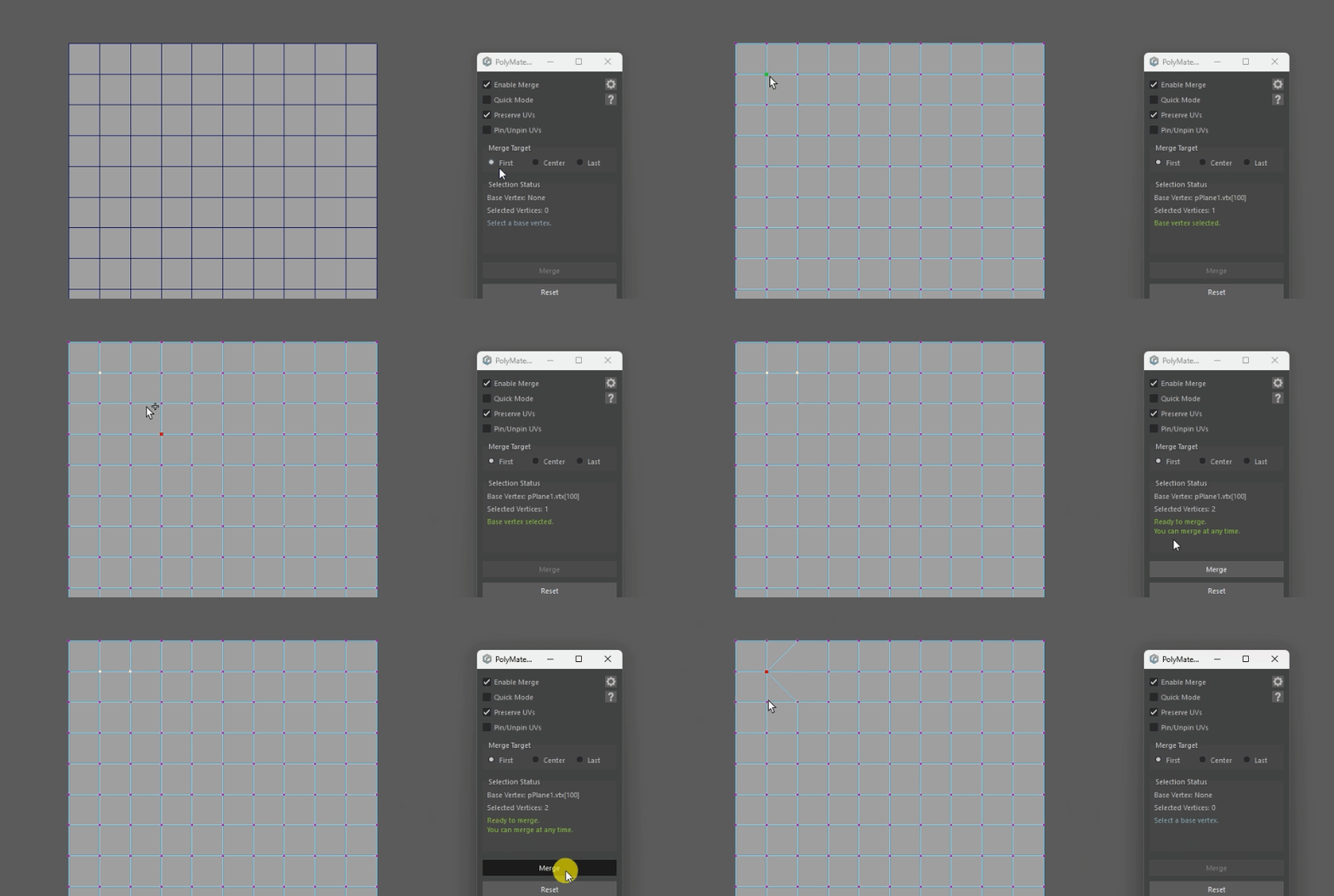
Merge all later-selected vertices into the reference vertex first selected.
▼Center Mode #
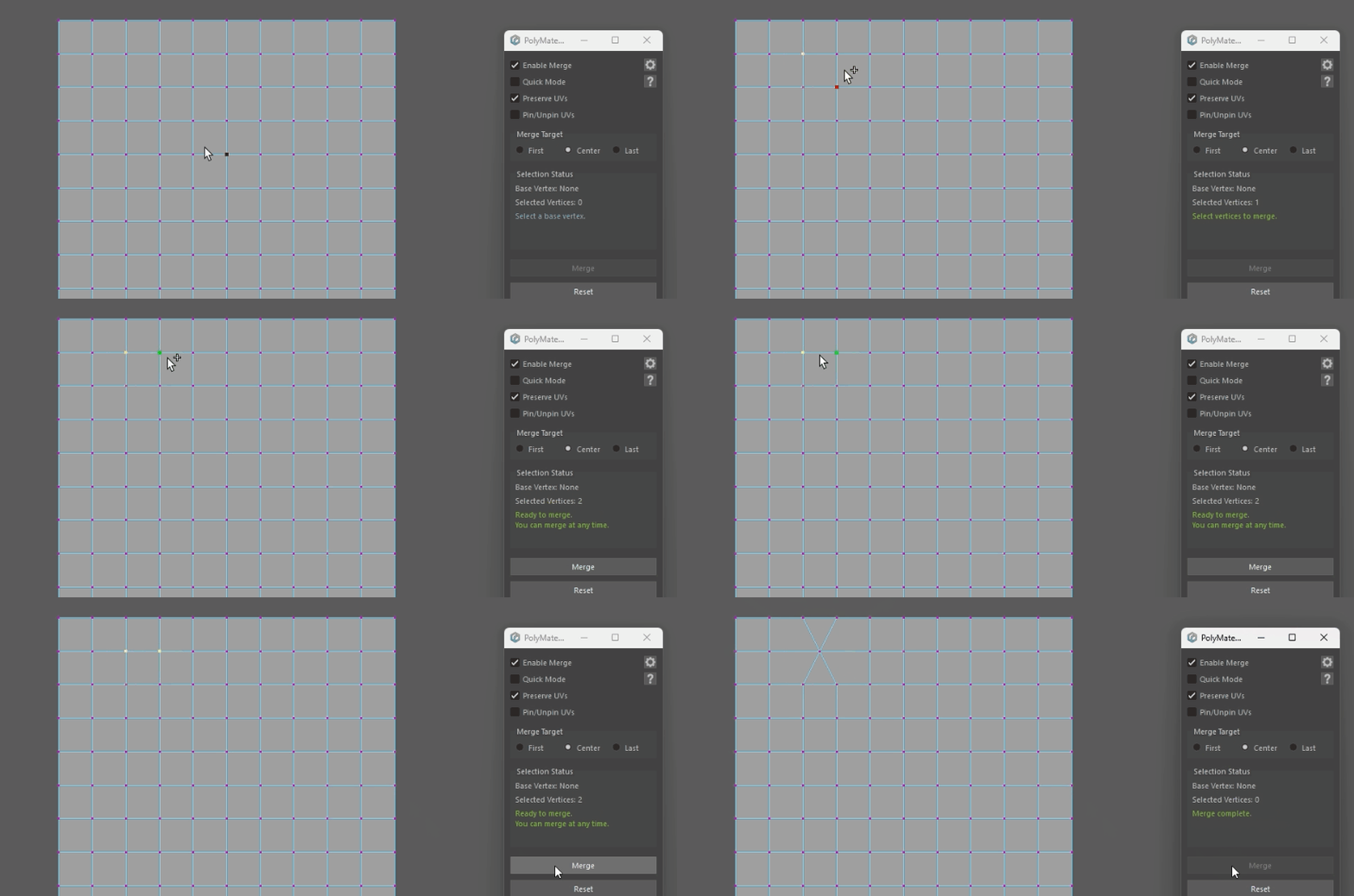
Merge to the center coordinates of all selected vertices.
Selection order does not matter.
▼Last Mode #
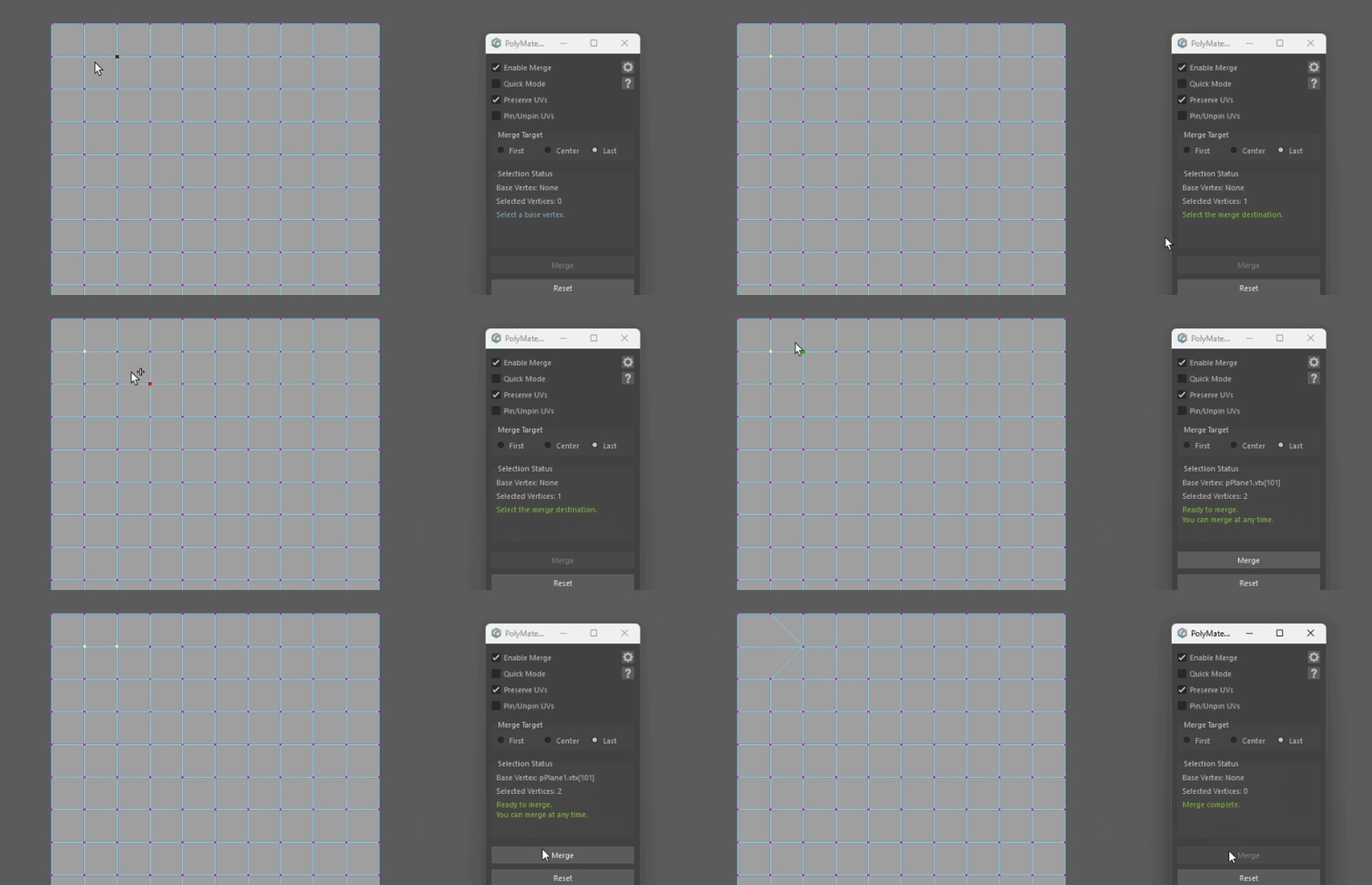
Merge all other vertices into the reference vertex last selected.
◎How to Use #
▼Step 1: Choose a mode #
From [Merge Target], select First / Center / Last.
▼Step 2: Select vertices #
- First / Last: select in the intended order, including the reference vertex.
- Center: select target vertices in any order.
▼Step 3: Execute merge #
Press [Merge] to merge according to the selection.
◎Notes #
- The reference vertex is the one selected as First = first, Last = last.
- Center does not depend on selection order and merges to the centroid of the selected vertices.
- All operations support Undo.